

Smart Apps: AI-Powered Apps
Regular Kro apps can already handle many automation tasks. But if you want to take things further — like letting your app chat with users, make judgments based on image content, or send emails automatically — you need Smart Apps capabilities.
Ⅰ. Feature Overview
Smart Apps means building large model capabilities directly into the desktop apps you generate with KroWork. No need to apply for API keys, no environment configuration — just describe the AI features you want, and Kro handles the integration.
Users can describe the app they want in natural language — for example, a text chat tool, an image generation workbench, or a private AI assistant. KroWork understands the requirements, automatically breaks down tasks, and handles interface generation, feature development, model capability integration, local data initialization, and deployment configuration in the background.
Ⅱ. Use Cases
Smart Apps currently supports the following six AI capabilities. They can be used individually or combined within a single app:
1. Text Chat (Streaming Output)
The app can have natural language conversations with users, with responses displayed word by word in a typewriter effect for a smoother experience. Suitable for building personal AI assistants, Q&A tools, content creation assistants, and more.
2. Text-to-Image
The app can generate images based on text descriptions entered by the user. Suitable for building image creation tools, design assistants, and more.
3. Image-to-Image
Users can send an image to the app and describe the desired modifications. The app generates a new version based on the original image. Suitable for image editing, style transfer, and similar scenarios.
4. Multimodal Understanding
The app can receive images and understand their content, then respond or make judgments based on text instructions. For example, upload a screenshot and have the app analyze the data or content within it.
5. Send Email
The app can automatically send emails when specific trigger conditions are met. Before using this feature, you need to configure an email account in advance on the KroWork settings page.
6. Receive & Read Email
The app can receive incoming emails and read their content, then process them with other logic — for example, automatic categorization, extracting key information, and more.
Ⅲ. How to Use
Describe the app you want in natural language. KroWork will understand the requirements, build it automatically, and you deploy it after previewing.
Example — building an AI-powered photo editing assistant: Build a desktop app called AuraEdit for AI-powered photo editing. The main feature is "Chat with your Photos" — users upload an image, and the app automatically analyzes the scene, understands the content, and lets users ask questions or edit the image through natural language conversation...
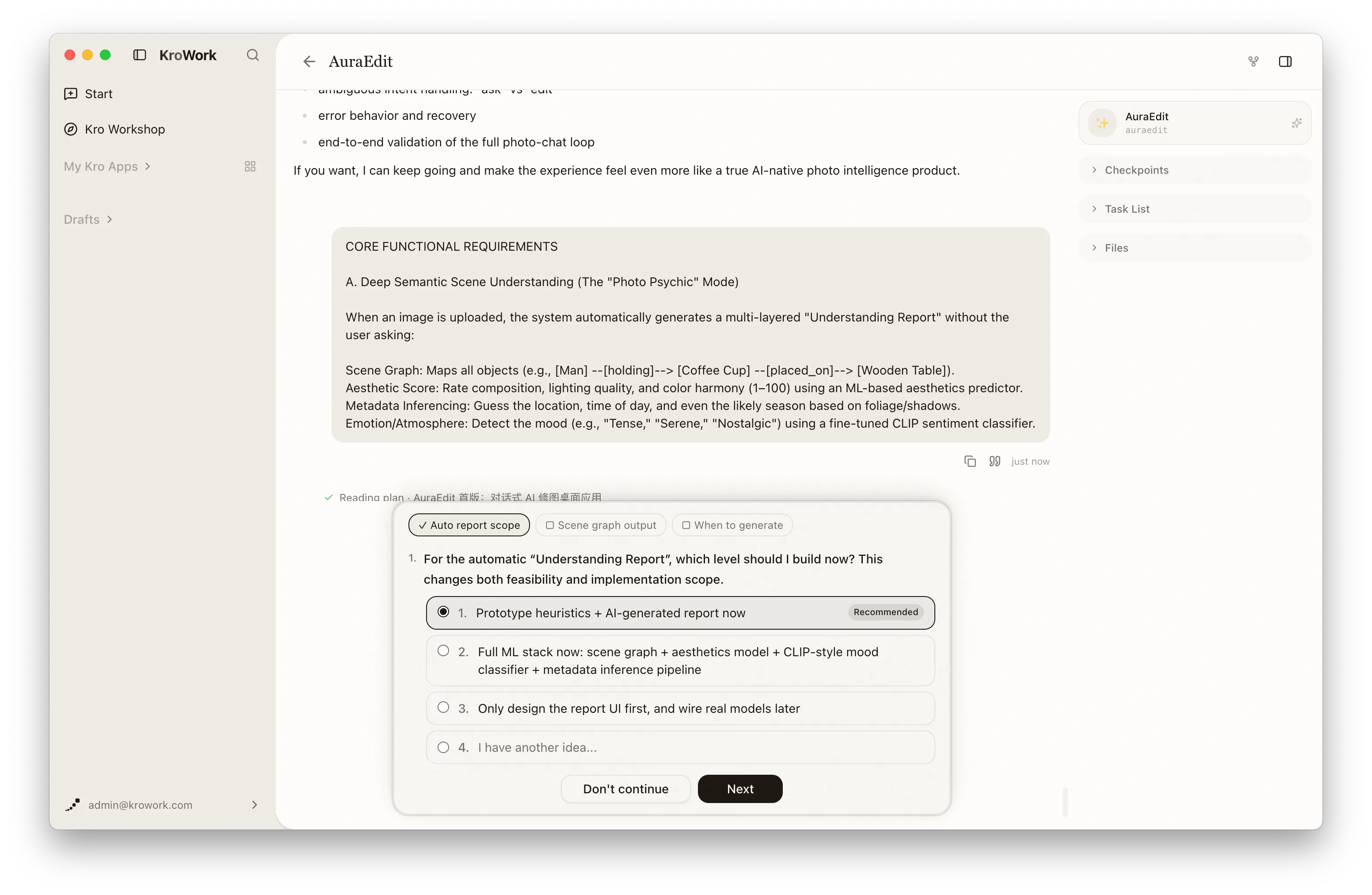
After you send the request, KroWork automatically handles interface generation, model capability integration, and local data initialization. When the build is complete, you can preview it directly. Once satisfied, deploy it to "My Kro Apps."
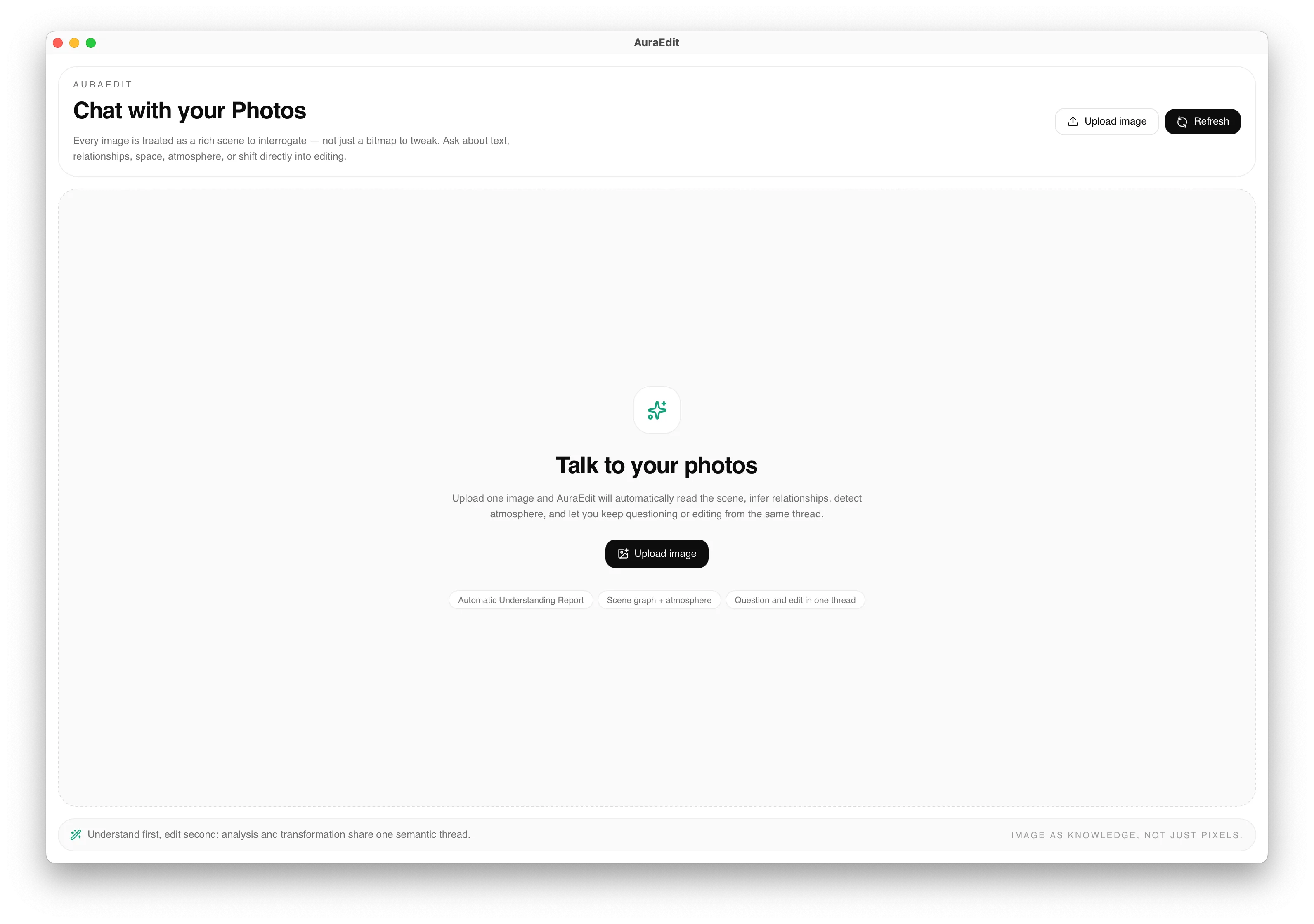
Once deployed, the app runs as a local desktop program. You can continue iterating in the conversation — for example, adding image-to-image, image understanding, and other capabilities. You can also share a polished app to the Kro Workshop.
Ⅳ. FAQ
1. Will a non-technical description affect the result?
No. KroWork has advanced intent understanding and can parse app goals from everyday language. We recommend being as specific as possible about the app's purpose, core features, and data requirements — the more detail you provide, the closer the result will match your expectations.
2. Do I need to apply for a model API key myself?
No. KroWork has built large model capabilities into the app layer. They're integrated automatically at build time — ready to use out of the box.
3. Can I keep modifying the app after deployment?
Yes. Start a new conversation under the app to iterate — for example, adding image-to-image, image understanding, and other capabilities. The system records iteration history and logs for easy reference.
4. Does running AI capabilities in the app consume credits?
Yes. The large model capabilities built into Smart Apps consume credits at runtime, including chat generation, text-to-image, image-to-image, image understanding, and more. Each time the app calls an AI capability to complete a request, credits are deducted based on actual usage.